方案一(链滴自带)
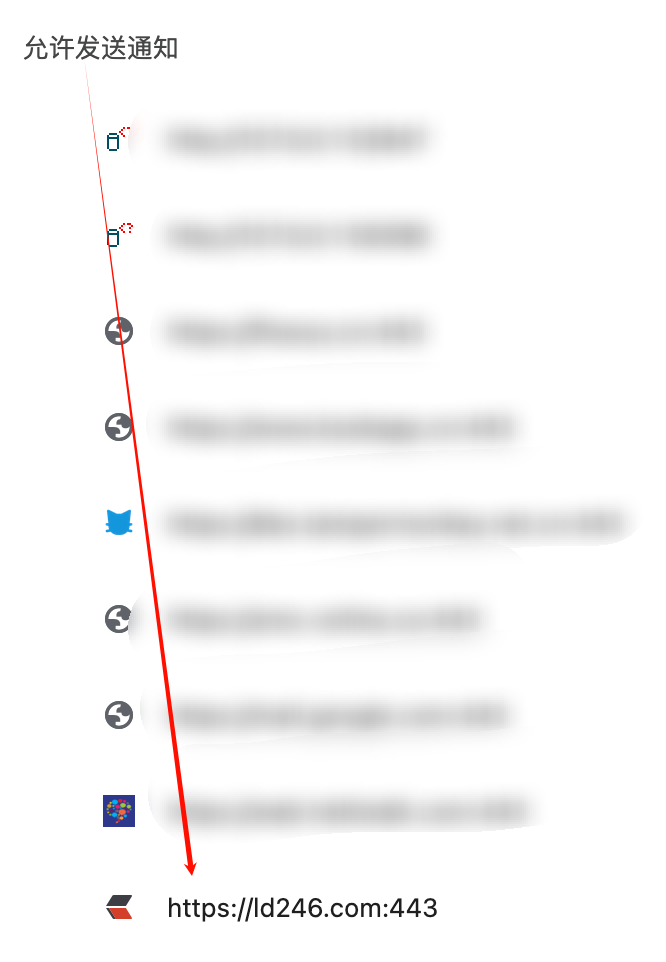
打开页面 https://ld246.com/settings/function 启用 Web 通知即可

优点:不占用本地资源。
缺点:不支持新帖,可能不稳定,通知不及时。
感谢 @JeffreyChen 大佬提供!
方案二(脚本猫脚本)推荐 ✅
功能简介
定时检测检查链滴是否有新消息和新帖。
无需打开链滴网站,自动在后台检测。
优点
占用资源极小。
如何使用
第一步,安装脚本猫(类似 Tampermonkey,但支持后台脚本)
下载地址 https://docs.scriptcat.org/
第二步,安装链滴新消息提示脚本
安装地址 https://scriptcat.org/zh-CN/script-show-page/4058
第三步,配置链滴 token
获取 token 地址 https://ld246.com/settings/account

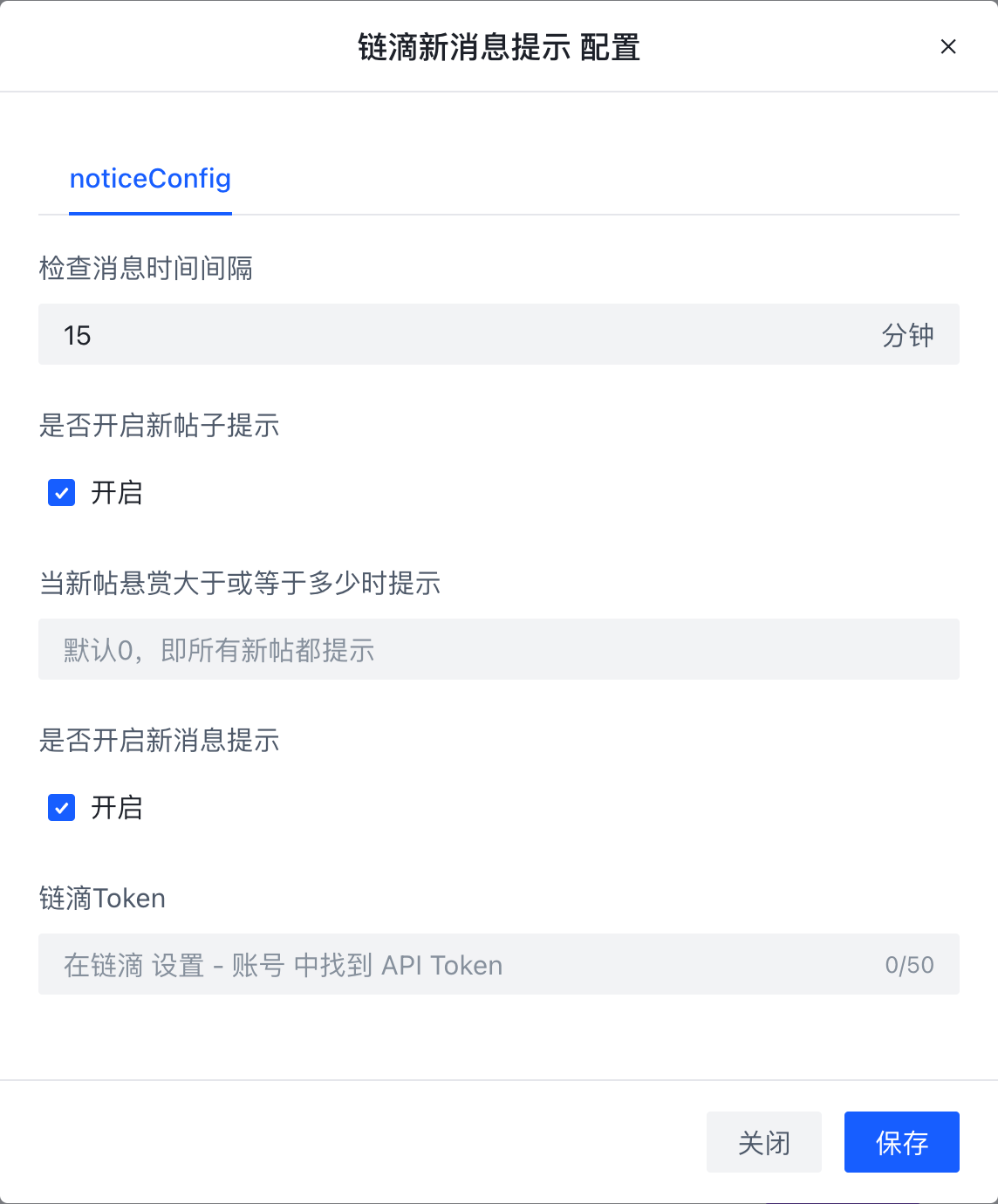
使用效果

使用注意事项
第一次执行时可能需要设置下跨域请求接口权限(一般不会,已用 @connect 进行了授权)

脚本猫后台脚本调试
打开脚本猫扩展管理详情,点 offscreen.html 即可

方案三(浏览器插件 Distill Web Monitor)
功能简介
浏览器插件,用于监听网页变化。可以使用 css 选择器和 js 代码来选择想要监听的部分。
提供 webhook 和邮件通知功能(免费账户的邮件通知数量有限)
优缺点
优点:功能强大,支持任何网站。
缺点:上手门槛高,占用资源大。
如何使用
第一步,安装浏览器插件
谷歌应用商店 https://chromewebstore.google.com/detail/inlikjemeeknofckkjolnjbpehgadgge
国内用户可以到这里下载 https://www.crxsoso.com/webstore/detail/inlikjemeeknofckkjolnjbpehgadgge
第二步,导入链滴消息数据
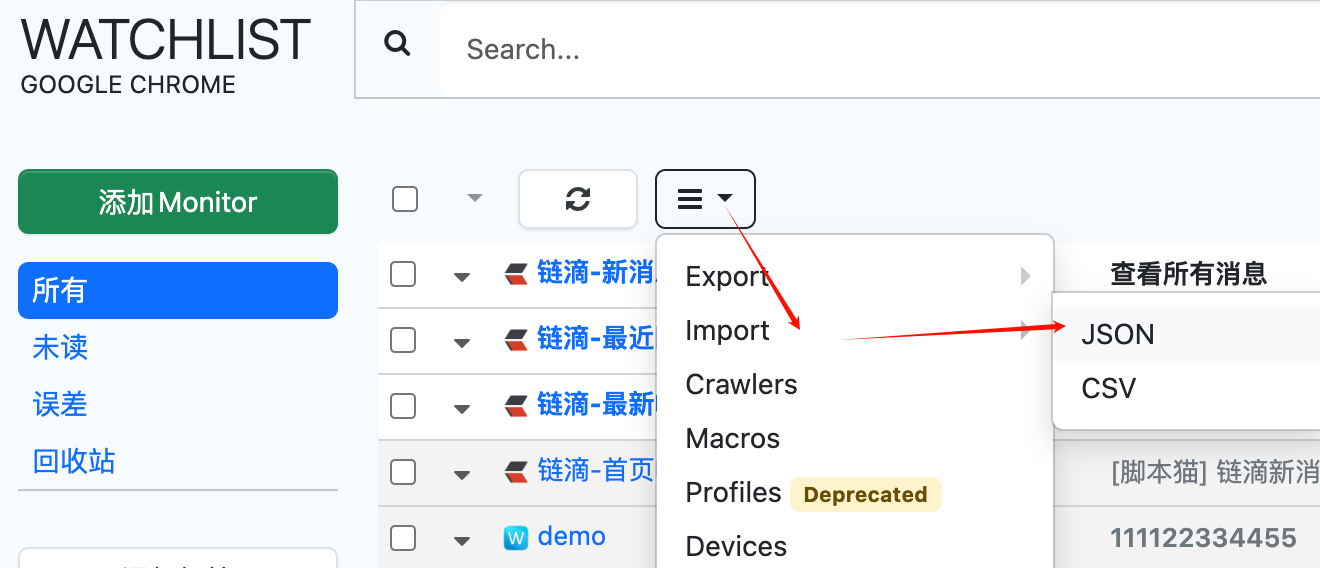
json 数据如下(仅供参考)
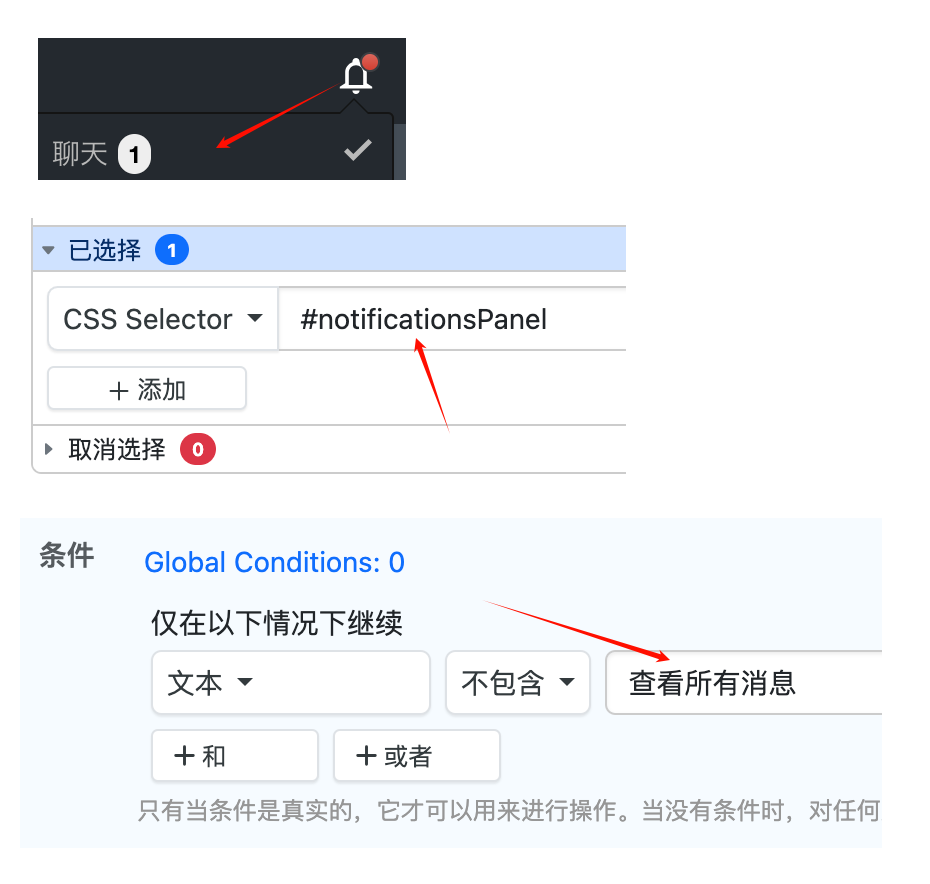
{"client":{"local":1},"data":[{"name":"链滴-最近回帖监控","uri":"https://ld246.com/recent/reply","config":"{\"ignoreEmptyText\":true,\"includeStyle\":false,\"dataAttr\":\"text\",\"selections\":[{\"frames\":[{\"index\":0,\"excludes\":[],\"includes\":[{\"type\":\"css\",\"expr\":\"ul.listAjax .article-list__item:first-child .article-list__title\",\"fields\":[{\"name\":\"text\",\"type\":\"builtin\"}]}]}],\"dynamic\":true,\"delay\":2}],\"incognito\":false,\"regexp\":{\"expr\":\"\",\"flags\":\"gim\"},\"blockAdsAndCookies\":true}","tags":[],"content_type":2,"schedule":"{\"type\":\"INTERVAL\",\"params\":{\"interval\":1800}}","ts":"2025-08-25T03:11:39.328Z","datasource_id":null},{"name":"链滴-最新帖子监控","uri":"https://ld246.com/recent","config":"{\"ignoreEmptyText\":true,\"includeStyle\":false,\"dataAttr\":\"text\",\"selections\":[{\"frames\":[{\"index\":0,\"excludes\":[],\"includes\":[{\"type\":\"css\",\"expr\":\"ul.listAjax .article-list__item:first-child .article-list__title\",\"fields\":[{\"name\":\"text\",\"type\":\"builtin\"}]}]}],\"dynamic\":true,\"delay\":2}],\"incognito\":false,\"regexp\":{\"expr\":\"\",\"flags\":\"gim\"},\"blockAdsAndCookies\":true}","tags":[],"content_type":2,"schedule":"{\"type\":\"INTERVAL\",\"params\":{\"interval\":900}}","ts":"2025-08-24T11:17:42.000Z","datasource_id":null},{"name":"链滴-新消息监控","uri":"https://ld246.com/notifications/commented","config":"{\"ignoreEmptyText\":true,\"includeStyle\":false,\"dataAttr\":\"text\",\"selections\":[{\"frames\":[{\"index\":0,\"excludes\":[],\"includes\":[{\"type\":\"css\",\"expr\":\"#notificationsPanel\",\"fields\":[{\"name\":\"text\",\"type\":\"builtin\"}]}]}],\"dynamic\":true,\"delay\":2}],\"incognito\":false,\"regexp\":{\"expr\":\"\",\"flags\":\"gim\"},\"blockAdsAndCookies\":true}","tags":[],"content_type":2,"schedule":"{\"type\":\"INTERVAL\",\"params\":{\"interval\":1800}}","ts":"2025-08-24T11:17:42.000Z","datasource_id":null,"rule":{"config":"{\"rules\":[\"or\",[\"and\",[\"not_contains\",\"$new\",\"查看所有消息\"]]],\"numberFormat\":\"1,.\"}","version":"2.0.0"}}]}
使用效果
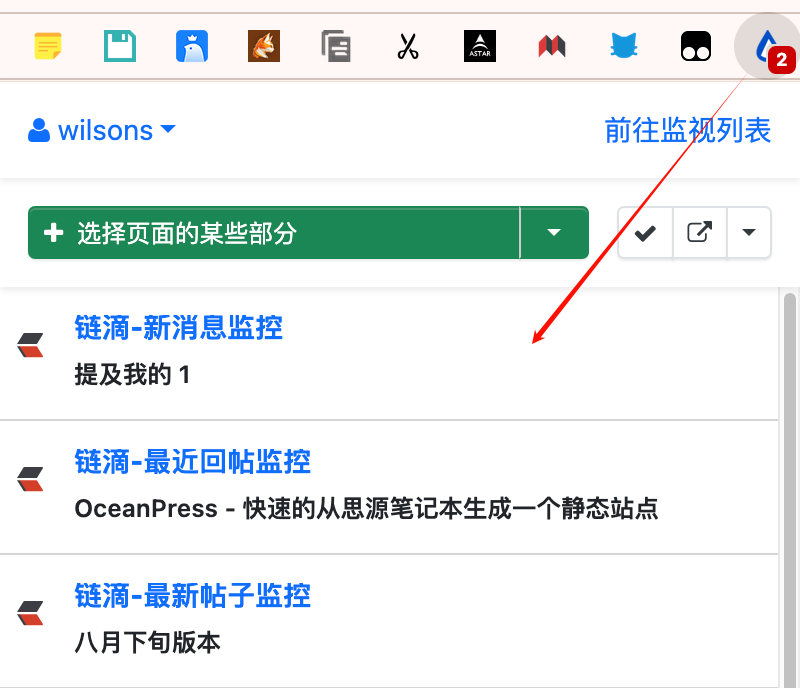
使用说明
添加/修改内容变化后的通知方式
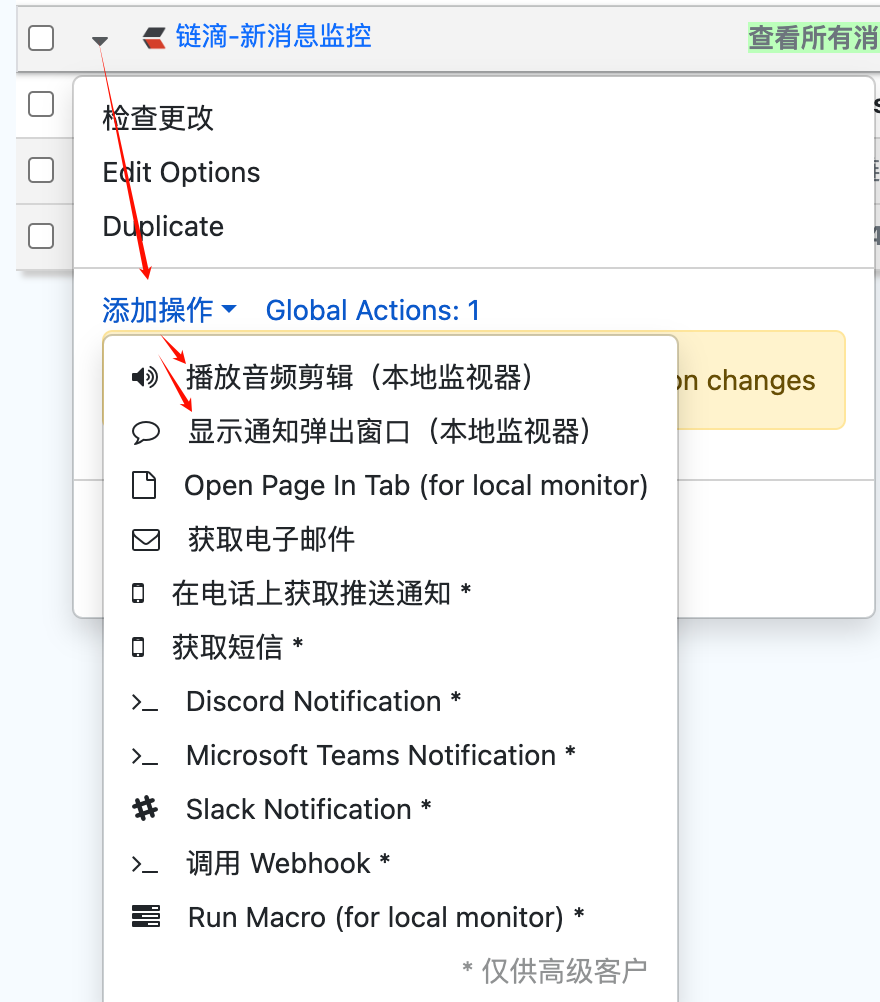
修改监控选项
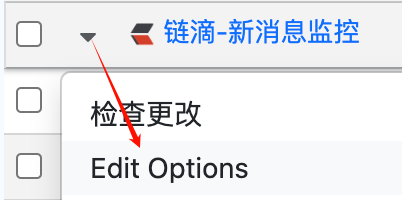
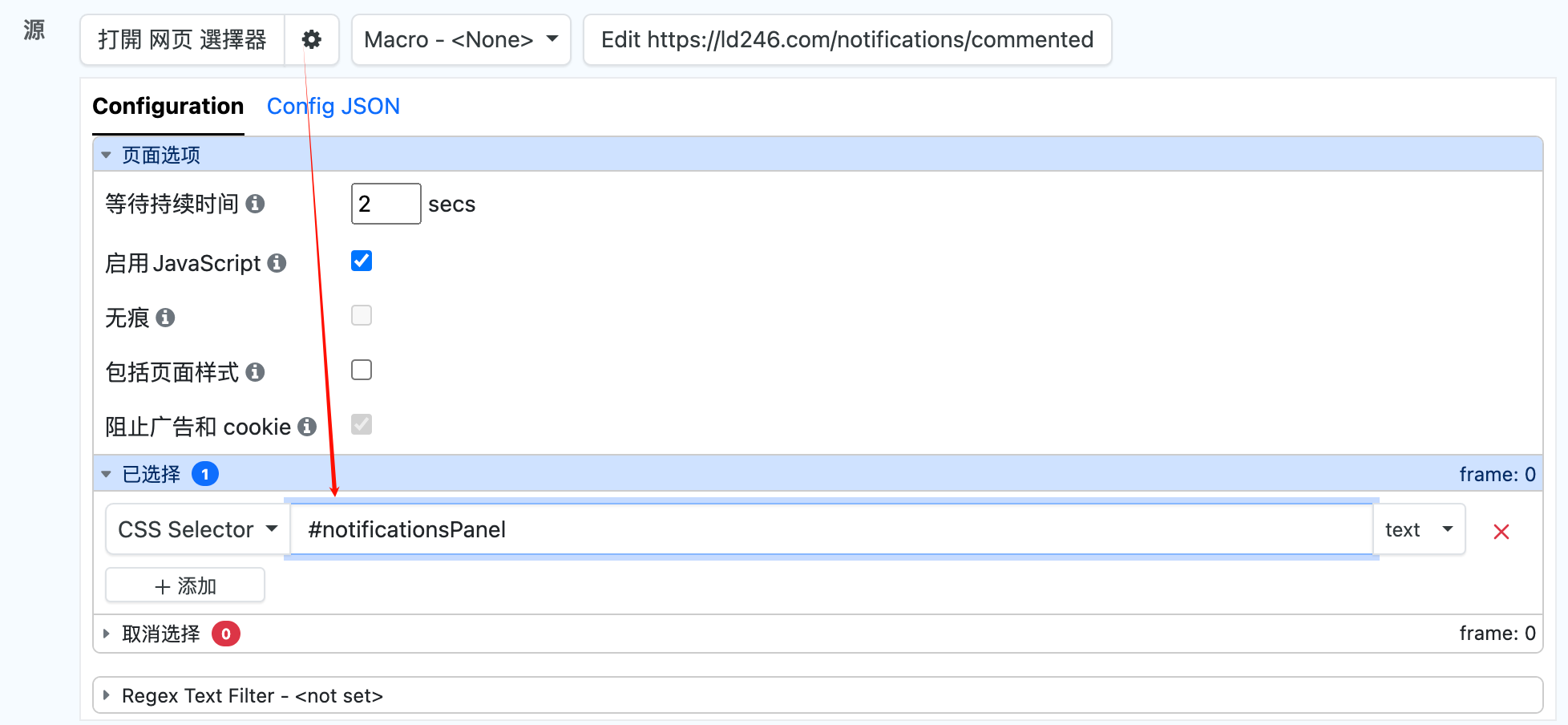
免费版修改监控数限制 https://shenzilong.cn/%E5%B7%A5%E5%85%B7/distill_monitor.html#20240605183155-nkjaxzg(最新版可能已失效,仅供参考)
感谢 @llej 大佬提供!