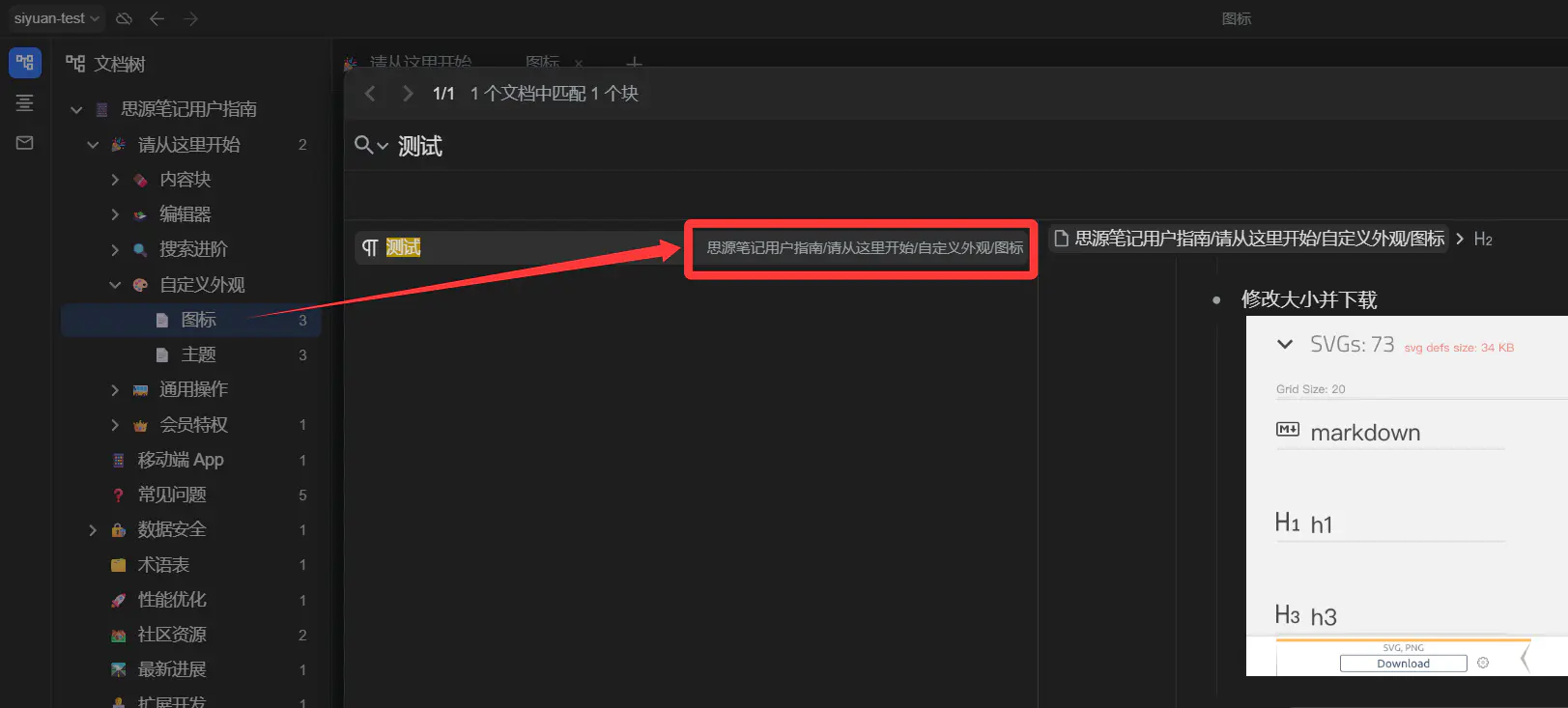
现在是笔记本和子文档的标题,用斜线分割
有图标的话,一眼看过去,能更快定位到某个文档:
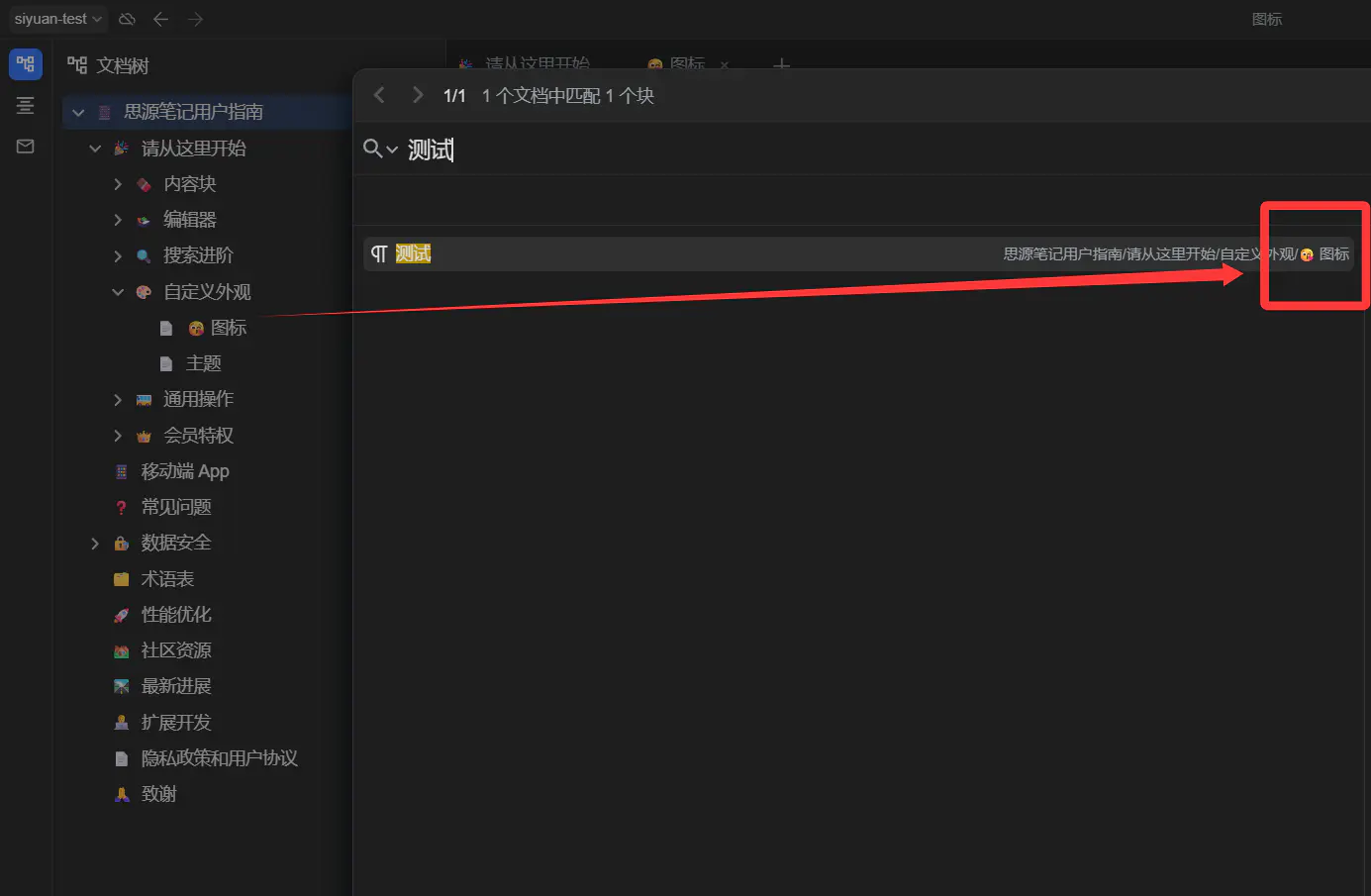
上面这是 win+. 直接把图标放到标题里,但这样图标很少,而且在文档树里也会和自带图标重复
所以有没有办法,在搜索时,展示出搜索结果所在子文档的图标呢
现在是笔记本和子文档的标题,用斜线分割
有图标的话,一眼看过去,能更快定位到某个文档:
上面这是 win+. 直接把图标放到标题里,但这样图标很少,而且在文档树里也会和自带图标重复
所以有没有办法,在搜索时,展示出搜索结果所在子文档的图标呢
思源笔记是一款隐私优先的个人知识管理系统,支持完全离线使用,同时也支持端到端加密同步。
融合块、大纲和双向链接,重构你的思维。
提问之前请先看《提问的智慧》,好的问题比好的答案更有价值。
自定义图标完美版
(function() {
    'use strict';

    async function getIconFromApi(blockId) {
        try {
            const response = await fetch('/api/attr/getBlockAttrs', {
                method: 'POST',
                headers: {
                    'Content-Type': 'application/json',
                },
                body: JSON.stringify({
                    id: blockId
                })
            });

            if (!response.ok) {
                console.error('思源 API 请求失败:', response.statusText);
                return '📄';
            }

            const result = await response.json();

            if (result.code === 0 && result.data) {
                let icon = result.data.icon;

                if (icon) {
                    let imagePath = null;
                    if (/\.(jpg|png|gif|svg|webp)$/i.test(icon)) {
                        if (icon.startsWith('/')) {
                            imagePath = icon;
                        } else {
                            imagePath = `/emojis/${icon}`;
                        }
                    }

                    if (imagePath) {
                        return `<img src="${imagePath}" style="width: 1em; height: 1em; vertical-align: -0.15em; margin: 0 0.1em;">`;
                    }

                    if (/^[0-9a-f-]+$/i.test(icon)) {
                        const codePoints = icon.split('-').map(hex => parseInt(hex, 16));
                        icon = String.fromCodePoint(...codePoints);
                    }
                }

                if (!icon && result.data.type === 'doc') {
                    return '📄';
                }

                return icon || '📄';
            }
        } catch (error) {
            console.error('从思源 API 获取图标时出错:', error);
        }
        return '📄';
    }

    async function addIconToPath() {
        const metaElements = document.querySelectorAll(
            "#searchList .b3-list-item[data-type='search-item'] .b3-list-item__meta:not([data-icon-processed])"
        );

        for (const metaEl of metaElements) {
            metaEl.setAttribute('data-icon-processed', 'true');

            const searchItem = metaEl.closest('[data-type="search-item"]');
            if (!searchItem || !searchItem.dataset.rootId) {
                continue;
            }

            const rootId = searchItem.dataset.rootId;
            const icon = await getIconFromApi(rootId);

            if (icon) {
                const originalPath = metaEl.getAttribute('aria-label');
                if (originalPath) {
                    let newContent;
                    const hasTrailingSlash = originalPath.endsWith('/');
                    const trimmedPath = hasTrailingSlash ? originalPath.slice(0, -1) : originalPath;

                    const lastSlashIndex = trimmedPath.lastIndexOf('/');

                    if (lastSlashIndex !== -1) {
                        const path = trimmedPath.substring(0, lastSlashIndex + 1);
                        const lastSegment = trimmedPath.substring(lastSlashIndex + 1);
                        newContent = `${path}${icon}${lastSegment}`;
                    } else {
                        newContent = `${icon}${trimmedPath}`;
                    }

                    if (hasTrailingSlash) {
                        newContent += '/';
                    }

                    metaEl.innerHTML = newContent;
                }
            }
        }
    }

    const observer = new MutationObserver((mutations) => {
        let needsProcessing = false;
        for (const mutation of mutations) {
            if (mutation.type === 'childList' && mutation.addedNodes.length > 0) {
                needsProcessing = true;
                break;
            }
        }
        if (needsProcessing) {
            addIconToPath();
        }
    });

    observer.observe(document.body, {
        childList: true,
        subtree: true
    });

    setTimeout(addIconToPath, 500);

})();
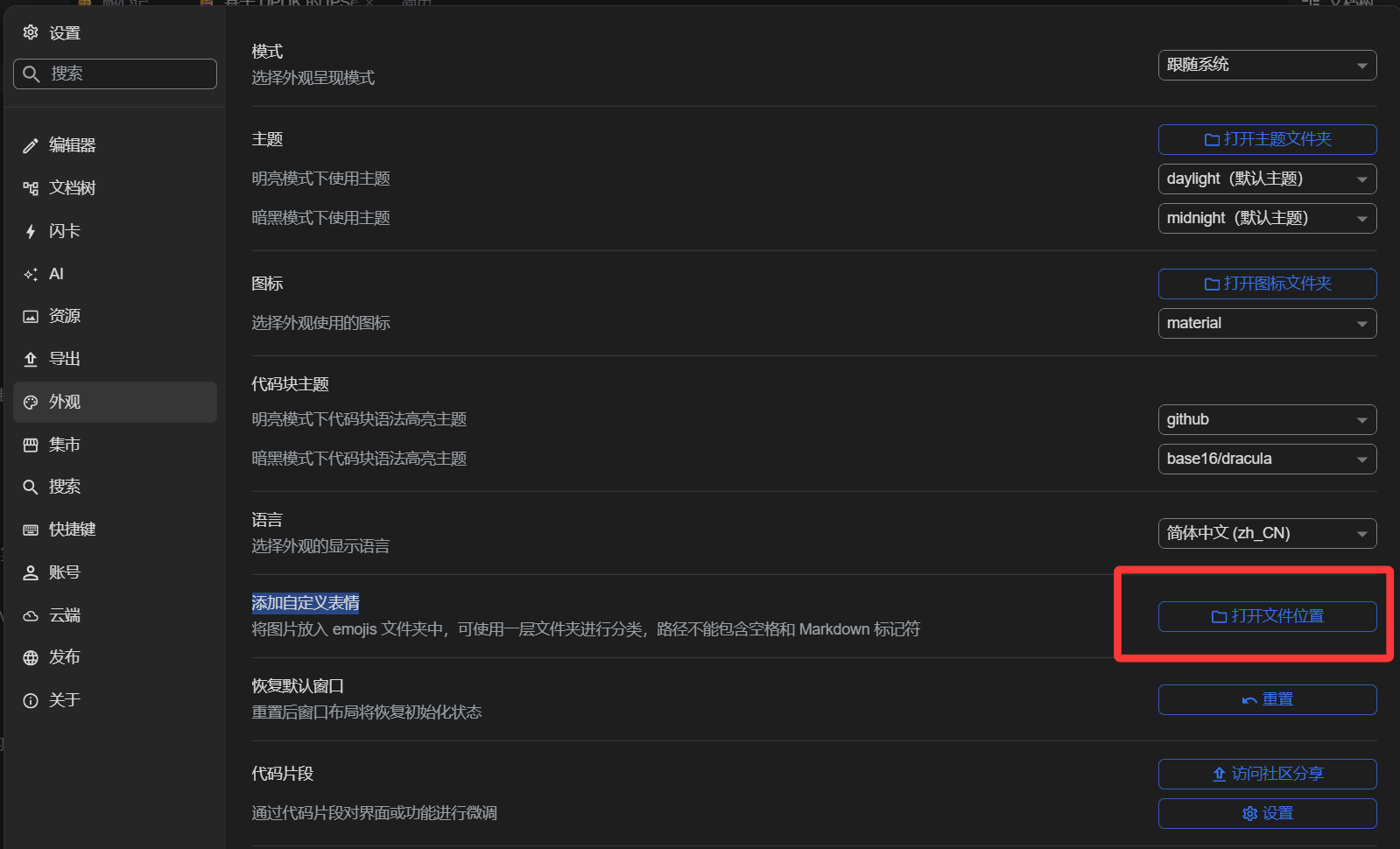
自定义 js 片段 设置——外观——代码片段(设置)——选上面右侧的 JS 添加代码
(function() {
    'use strict';

    async function getIconFromApi(blockId) {
        try {
            const response = await fetch('/api/attr/getBlockAttrs', {
                method: 'POST',
                headers: {
                    'Content-Type': 'application/json',
                },
                body: JSON.stringify({
                    id: blockId
                })
            });

            if (!response.ok) {
                console.error('思源 API 请求失败:', response.statusText);
                return '📄';
            }

            const result = await response.json();

            if (result.code === 0 && result.data) {
                let icon = result.data.icon;

                if (icon) {
                    if (/^[0-9a-f-]+$/i.test(icon)) {
                        const codePoints = icon.split('-').map(hex => parseInt(hex, 16));
                        icon = String.fromCodePoint(...codePoints);
                    }
                }

                if (!icon && result.data.type === 'doc') {
                    return '📄';
                }

                return icon || '📄';
            }
        } catch (error) {
            console.error('从思源 API 获取图标时出错:', error);
        }
        return '📄';
    }

    async function addIconToPath() {
        const metaElements = document.querySelectorAll(
            "#searchList .b3-list-item[data-type='search-item'] .b3-list-item__meta:not([data-icon-processed])"
        );

        for (const metaEl of metaElements) {
            metaEl.setAttribute('data-icon-processed', 'true');

            const searchItem = metaEl.closest('[data-type="search-item"]');
            if (!searchItem || !searchItem.dataset.rootId) {
                continue;
            }

            const rootId = searchItem.dataset.rootId;
            const icon = await getIconFromApi(rootId);

            if (icon) {
                const originalPath = metaEl.getAttribute('aria-label');
                if (originalPath) {
                    let newText;
                    const hasTrailingSlash = originalPath.endsWith('/');
                    const trimmedPath = hasTrailingSlash ? originalPath.slice(0, -1) : originalPath;

                    const lastSlashIndex = trimmedPath.lastIndexOf('/');

                    if (lastSlashIndex !== -1) {
                        const path = trimmedPath.substring(0, lastSlashIndex + 1);
                        const lastSegment = trimmedPath.substring(lastSlashIndex + 1);
                        newText = `${path}${icon}${lastSegment}`;
                    } else {
                        newText = `${icon}${trimmedPath}`;
                    }

                    if (hasTrailingSlash) {
                        newText += '/';
                    }

                    metaEl.textContent = newText;
                }
            }
        }
    }

    const observer = new MutationObserver((mutations) => {
        let needsProcessing = false;
        for (const mutation of mutations) {
            if (mutation.type === 'childList' && mutation.addedNodes.length > 0) {
                needsProcessing = true;
                break;
            }
        }
        if (needsProcessing) {
            addIconToPath();
        }
    });

    observer.observe(document.body, {
        childList: true,
        subtree: true
    });

    setTimeout(addIconToPath, 500);

})();
Gitea 是一个开源社区驱动的轻量级代码托管解决方案,后端采用 Go 编写,采用 MIT 许可证。
Thank God It's Friday! 感谢老天,总算到星期五啦!
Kubernetes 是 Google 开源的一个容器编排引擎,它支持自动化部署、大规模可伸缩、应用容器化管理。
我们平时所说的“架构”主要是指软件架构,这是有关软件整体结构与组件的抽象描述,用于指导软件系统各个方面的设计。另外还有“业务架构”、“网络架构”、“硬件架构”等细分领域。
Caddy 是一款默认自动启用 HTTPS 的 HTTP/2 Web 服务器。
快应用 是基于手机硬件平台的新型应用形态;标准是由主流手机厂商组成的快应用联盟联合制定;快应用标准的诞生将在研发接口、能力接入、开发者服务等层面建设标准平台;以平台化的生态模式对个人开发者和企业开发者全品类开放。
面试造航母,上班拧螺丝。多面试,少加班。
这是一个不能说的秘密。
GitLab 是利用 Ruby 一个开源的版本管理系统,实现一个自托管的 Git 项目仓库,可通过 Web 界面操作公开或私有项目。
Notion - The all-in-one workspace for your notes, tasks, wikis, and databases.
HBase 是一个分布式的、面向列的开源数据库,该技术来源于 Fay Chang 所撰写的 Google 论文 “Bigtable:一个结构化数据的分布式存储系统”。就像 Bigtable 利用了 Google 文件系统所提供的分布式数据存储一样,HBase 在 Hadoop 之上提供了类似于 Bigtable 的能力。
前端技术一般分为前端设计和前端开发,前端设计可以理解为网站的视觉设计,前端开发则是网站的前台代码实现,包括 HTML、CSS 以及 JavaScript 等。
支付宝是全球领先的独立第三方支付平台,致力于为广大用户提供安全快速的电子支付/网上支付/安全支付/手机支付体验,及转账收款/水电煤缴费/信用卡还款/AA 收款等生活服务应用。
知乎是网络问答社区,连接各行各业的用户。用户分享着彼此的知识、经验和见解,为中文互联网源源不断地提供多种多样的信息。
C++ 是在 C 语言的基础上开发的一种通用编程语言,应用广泛。C++ 支持多种编程范式,面向对象编程、泛型编程和过程化编程。
Web Clipper 是一款浏览器剪藏扩展,它可以帮助你把网页内容剪藏到本地。
GitHub 于 2008 年上线,目前,除了 Git 代码仓库托管及基本的 Web 管理界面以外,还提供了订阅、讨论组、文本渲染、在线文件编辑器、协作图谱(报表)、代码片段分享(Gist)等功能。正因为这些功能所提供的便利,又经过长期的积累,GitHub 的用户活跃度很高,在开源世界里享有深远的声望,并形成了社交化编程文化(Social Coding)。
Hibernate 是一个开放源代码的对象关系映射框架,它对 JDBC 进行了非常轻量级的对象封装,使得 Java 程序员可以随心所欲的使用对象编程思维来操纵数据库。
找到自己的位置,萌新烦恼少。
NetBeans 是一个始于 1997 年的 Xelfi 计划,本身是捷克布拉格查理大学的数学及物理学院的学生计划。此计划延伸而成立了一家公司进而发展这个商用版本的 NetBeans IDE,直到 1999 年 Sun 买下此公司。Sun 于次年(2000 年)六月将 NetBeans IDE 开源,直到现在 NetBeans 的社群依然持续增长。
DevOps(Development 和 Operations 的组合词)是一组过程、方法与系统的统称,用于促进开发(应用程序/软件工程)、技术运营和质量保障(QA)部门之间的沟通、协作与整合。