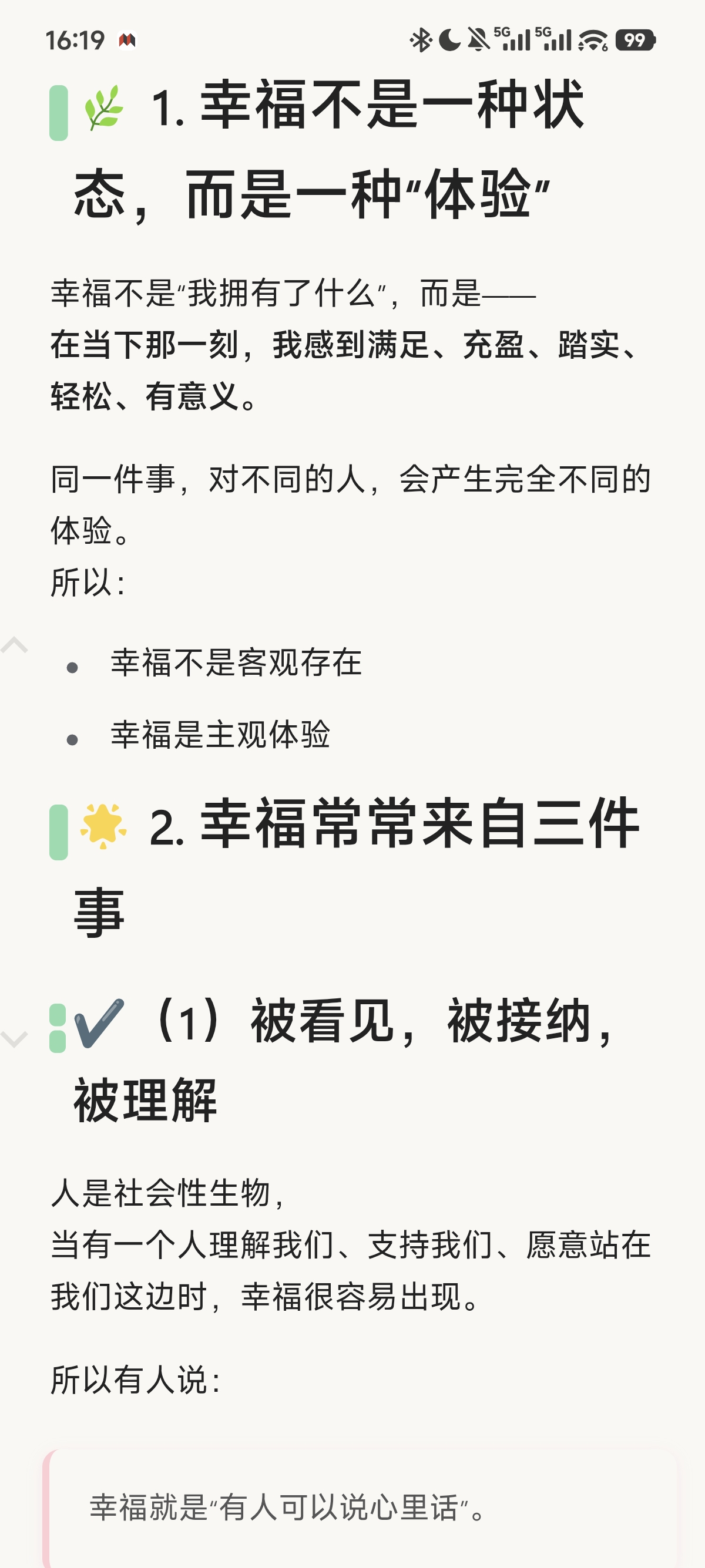
目的:模仿微信读书效果,方便手机端阅读
主要功能:
- 自动隐藏:顶栏、面包屑
- 快速双击屏幕,显示 3s 顶栏后,自动隐藏
效果图:
修改配置:
可在配置区域修改,双击触发间隔、自动隐藏时间等
    /* 2. 配置:要控制的元素选择器和动画参数 */
    const CONFIG = {
        selectors: ['.toolbar', '.protyle-breadcrumb', '.protyle-breadcrumb__bar'],
        hideDelay: 3000, // 3秒后隐藏
        animationDuration: 300, // 动画时长300ms
        doubleClickDelay: 300, // 双击判定时间300ms
        enablePassive: true
    };
JS 代码分享:
/******************************************************************
 * 移动端增强:Toolbar 和面包屑的自动隐藏/显示功能(双击触发)
 * 功能:默认隐藏,双击页面后显示,3秒无操作自动隐藏
 * 特性:双击触发,带有平滑动画效果
 ******************************************************************/
(function () {
    /* 1. 环境检查:只在指定模块启用时执行 */
    const html = document.documentElement;
    const has = (key) => html.dataset?.en_enabled_module?.includes(key);
    if (!has('EnOther') || !has('EnhancerIsMobile')) return;

    /* 2. 配置:要控制的元素选择器和动画参数 */
    const CONFIG = {
        selectors: ['.toolbar', '.protyle-breadcrumb', '.protyle-breadcrumb__bar'],
        hideDelay: 3000, // 3秒后隐藏
        animationDuration: 300, // 动画时长300ms
        doubleClickDelay: 300, // 双击判定时间300ms
        enablePassive: true
    };

    let hideTimer = null;
    let lastTapTime = 0; // 记录上一次点击时间
    let tapTimeout = null; // 单击超时定时器

    /* 3. 动态添加CSS动画样式 */
    const injectStyles = () => {
        const styleId = 'mobile-toolbar-double-tap';
        if (document.getElementById(styleId)) return;

        const style = document.createElement('style');
        style.id = styleId;
        style.textContent = `
            .toolbar, .protyle-breadcrumb, .protyle-breadcrumb__bar {
                transition: all ${CONFIG.animationDuration}ms cubic-bezier(0.4, 0, 0.2, 1) !important;
                opacity: 1;
                transform: translateY(0);
            }

            .toolbar-hidden, .protyle-breadcrumb-hidden, .protyle-breadcrumb__bar-hidden {
                opacity: 0 !important;
                transform: translateY(-10px) !important;
                pointer-events: none !important;
            }

            /* 确保隐藏时不会挡住内容 */
            .toolbar-hidden { display: none !important; }

            /* 双击提示效果(可选) */
            .double-tap-hint {
                position: fixed;
                top: 50%;
                left: 50%;
                transform: translate(-50%, -50%);
                background: rgba(0, 0, 0, 0.7);
                color: white;
                padding: 8px 16px;
                border-radius: 20px;
                font-size: 14px;
                z-index: 10000;
                opacity: 0;
                transition: opacity 0.3s;
                pointer-events: none;
            }

            .double-tap-hint.show {
                opacity: 1;
            }
        `;
        document.head.appendChild(style);
    };

    /* 4. 双击检测逻辑 */
    const handleDoubleTap = (event) => {
        const currentTime = new Date().getTime();
        const tapLength = currentTime - lastTapTime;

        // 清除之前的单击超时
        clearTimeout(tapTimeout);

        // 判断是否为双击(在指定时间间隔内连续点击)
        if (tapLength < CONFIG.doubleClickDelay && tapLength > 0) {
            // 阻止事件冒泡和默认行为
            event.preventDefault();
            event.stopPropagation();

            // 触发显示
            showAll();

            // 重置时间
            lastTapTime = 0;
        } else {
            // 第一次点击,设置超时,超时后重置
            lastTapTime = currentTime;
            tapTimeout = setTimeout(() => {
                lastTapTime = 0;
                // 可选:显示单击提示
                showTapHint();
            }, CONFIG.doubleClickDelay);
        }
    };

    /* 5. 显示单击提示(可选功能) */
 /*   const showTapHint = () => {
        // 创建或获取提示元素
        let hint = document.getElementById('double-tap-hint');
        if (!hint) {
            hint = document.createElement('div');
            hint.id = 'double-tap-hint';
            hint.className = 'double-tap-hint';
            hint.textContent = '双击显示工具栏';
            document.body.appendChild(hint);
        }

        // 显示提示
        hint.classList.add('show');

        // 2秒后隐藏提示
        setTimeout(() => {
            hint.classList.remove('show');
        }, 2000);
    };
*/
    /* 6. 工具函数:显示/隐藏所有目标元素(带动画) */
    const hideAll = () => {
        CONFIG.selectors.forEach(selector => {
            document.querySelectorAll(selector).forEach(el => {
                // 先添加动画类
                el.classList.add(selector.replace('.', '') + '-hidden');

                // 动画结束后完全隐藏(针对toolbar)
                if (selector === '.toolbar') {
                    setTimeout(() => {
                        if (el.classList.contains('toolbar-hidden')) {
                            el.style.display = 'none';
                        }
                    }, CONFIG.animationDuration);
                }
            });
        });
    };

    const showAll = () => {
        CONFIG.selectors.forEach(selector => {
            document.querySelectorAll(selector).forEach(el => {
                // 先确保元素可见(针对toolbar)
                if (selector === '.toolbar') {
                    el.style.display = '';
                }

                // 强制重绘,确保动画触发
                void el.offsetWidth;

                // 移除隐藏类,触发显示动画
                el.classList.remove(selector.replace('.', '') + '-hidden');
            });
        });

        // 清除之前的定时器,设置新的隐藏定时器
        clearTimeout(hideTimer);
        hideTimer = setTimeout(hideAll, CONFIG.hideDelay);

        // 隐藏可能的单击提示
        const hint = document.getElementById('double-tap-hint');
        if (hint) {
            hint.classList.remove('show');
        }
    };

    /* 7. 初始化函数 */
    const init = () => {
        // 注入CSS样式
        injectStyles();

        // 初始状态:隐藏所有元素
        setTimeout(() => {
            hideAll();
        }, 100);

        // 绑定触摸事件(移动端使用touch事件更准确)
        document.body.addEventListener('touchstart', handleDoubleTap, {
            passive: false // 需要preventDefault,所以设为false
        });

        // 同时支持鼠标双击(桌面端调试用)
        document.body.addEventListener('click', handleDoubleTap, {
            passive: false
        });

        // 长按等其他手势时隐藏提示
        document.body.addEventListener('touchmove', () => {
            const hint = document.getElementById('double-tap-hint');
            if (hint) {
                hint.classList.remove('show');
            }
        });
    };

    /* 8. DOM就绪后执行初始化 */
    if (document.readyState === 'loading') {
        document.addEventListener('DOMContentLoaded', init);
    } else {
        init();
    }
})();
欢迎来到这里!
我们正在构建一个小众社区,大家在这里相互信任,以平等 • 自由 • 奔放的价值观进行分享交流。最终,希望大家能够找到与自己志同道合的伙伴,共同成长。
注册 关于